Qbanner: Terminal Banners for CLI Applications
Stylish, Resizable, and Color-Ready ASCII Art Banners
Introduction
(Tentative Release Date : 22nd Jan)
qbanner is a simple yet powerful Rust library designed to display highly customizable ASCII art banners in command-line interface (CLI) applications. It uses a modern builder pattern, supports Unicode, gradients, and automatically adjusts to fit the user’s terminal size.
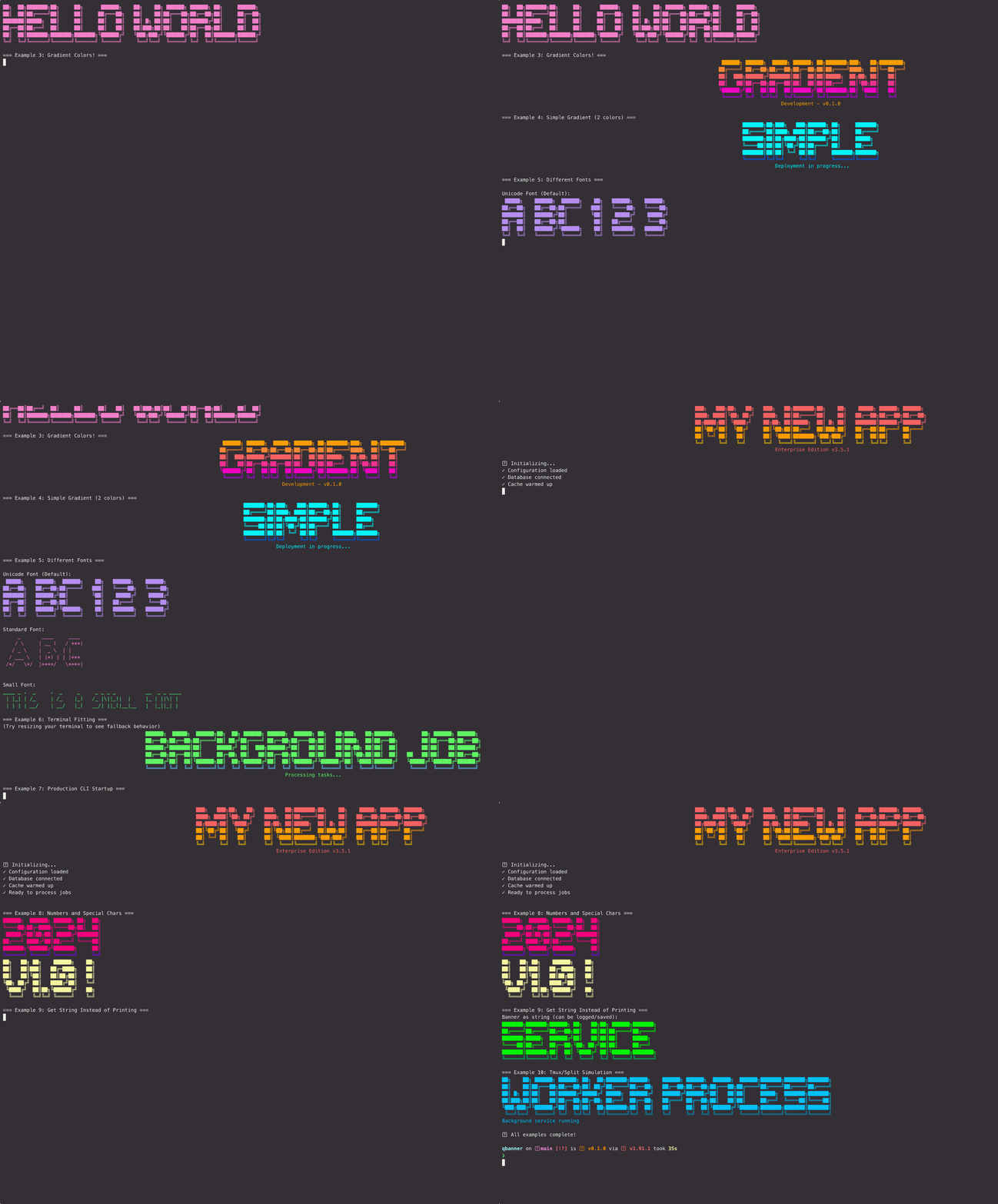
Key Features
- Builder Pattern: Easy-to-use, chainable methods for configuration.
- Terminal Awareness: Automatically detects terminal width for centering and resizing.
- Color & Gradient: Support for standard ANSI colors, bright colors, and dynamic RGB gradients.
- Fonts: Includes modern Unicode, classic Standard, and compact Small fonts.
- Fallback Logic: Gracefully falls back to smaller fonts or plain text if the banner exceeds terminal width.
- Screen Management: Option to automatically clear the screen before rendering.
- Shell Script: Supports shell Scripts
- Embedded Systems: Works on Embedded devices
Installation
Add qbannerto your Cargo.toml:
[dependencies]
qbanner = "0.1"
Quick Start
The core of the library is the Banner struct, configured entirely through method chaining.
use qbanner::{Banner, Color, Alignment};

fn main() {
    // 1. Simple, centered, cyan Unicode banner
    Banner::new("Welcome")
        .color(Color::Cyan)
        .alignment(Alignment::Center)
        .render();

    // 2. Banner with an RGB gradient and a subtitle
    Banner::new("DevOps")
        .gradient(vec![
            (255, 100, 0), // Orange
            (255, 0, 100)  // Pink
        ])
        .subtitle("CI/CD Pipeline v2.1")
        .render();
}
References
API Reference
Developer Notes